Showing posts with label Association of Personal Photo Organizers. Show all posts

Monday, May 7, 2012

The Disorganized Chaos of My Photo Life

by M. Shannon Hernandez

I am a VERY organized person.  I have a notebook and calendar in which I record everything for my business (on paper, with a pen), and then promptly transfer the information over to the computer and place on my blog, in my newsletter, into my digital filing system, or on the calendar.  All my spices are neatly labeled, on the top of the jar, so that I can find what I need quickly when I open the drawer and peer down.  I have 16 upcycled spaghetti sauce jars, all lined up in a row, which have been labeled with a professional label maker and hold my dried beans, rice varieties, lentils and grains.  I only buy purses and backpacks with a minimum of 3 pockets and pouches for easy identification of all the "stuff" that must go into the bag.  I have over 2,000 books, and they are categorized by genre on the shelves of my office and living room.  And my closet?  All pants hang in one section, by color, all skirts in another, by color, and all my blouses...you get the point!

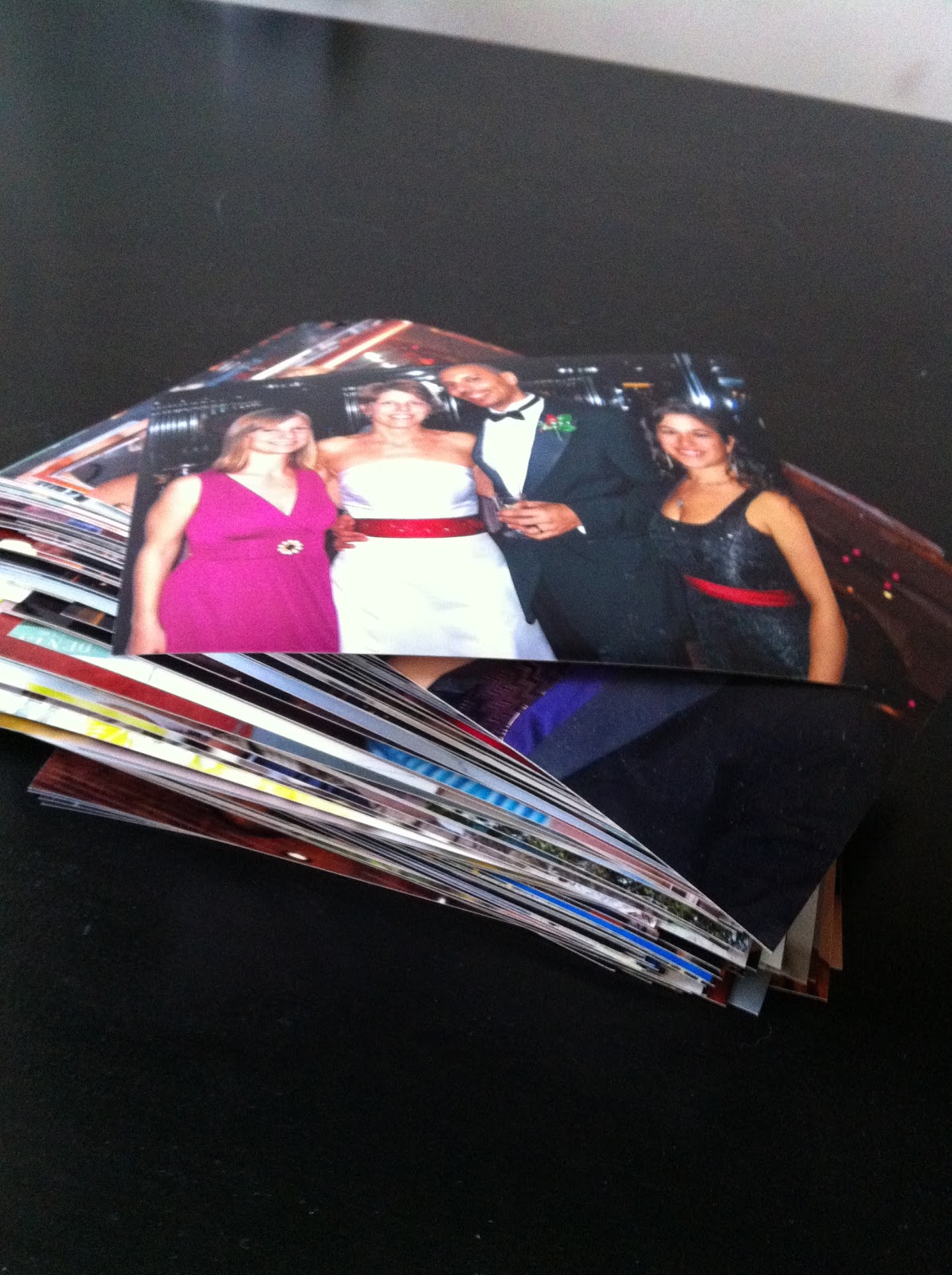
But, something has happened in my photo life!  Mounds of photos sit in bags separated by theme or trip or event.  (I must give myself a little credit.)  Unfinished scrapbooks, complete with notes of what will go where, have been on my shelf for YEARS.  A single ziplock bag holds all of my photos and momentos from a magnificent trip I took to Ireland in 2005.  My wedding album of two years ago is collecting dust, and so are the photos sitting next to it!  Photo storage boxes, albeit with tagged organizers, are stacked -- cluttered with pictures begging me to document my life.

And these are just the printed photos.

Let's talk about the digital photos.  My life is a wreck!  I have pictures on my iPhone camera (current count 1523), photos I have loaded in Instagram, pics hanging out on the Project365 calendar, and all over Twitter and Facebook.  I have a mass storage device, which has over 19,000 photos waiting to be....???  What?  I don't even know where to begin.  I can't find photos I know I have because I haven't tagged them or named the albums when I imported them.  (I knew I should have--but just kept telling myself, "I would 'get to it.'")  My family uploads albums and albums to photo sharing sites like Picasa and Snapfish.  At one time, I was religious about following the links and viewing and printing the ones I wanted, but then the email notifications started sitting in my inbox, later to be deleted because of this feeling of adding more to the chaos of my photo life made me panic.

I am overwhelmed.  I need help.  And until a month ago, I had no idea where to begin.

I met Michelle Nahom, Marketing Manager for the Association of Personal Photo Organizers, via Twitter.  I was astounded!  Wow -- there were really people that would help you organize your photos?  I began following her blog, and then I had the opportunity to meet her at a photo organizing seminar she held in conjunction with Arista Camera in Bronxville, NY.  At the seminar, I listened, in awe to the number of people who were completely at a loss in their photo organizing, just like me.  Stories were shared of massive amounts of family memories and history being lost because the computer crashed or the hard drive was lost, or the online photo sharing site went out of business or accidentally deleted their files.  I learned I was a photo hoarder--and my husband too!  We fit the definition "to a T"--2,127 of our photos are either of sunsets or flowers.  I mean really--who needs 2,127 photos of anything, let alone sunsets or flowers?!

I left that seminar feeling empowered to change my disorganized digital photo life.  I have laid out my own personal plan for "dealing" with all of these pictures.  One night a week, I am purging photos--getting rid of the duplicates, blurry photos, or photos that don't even have a story.  It's a start.  The next phase will include creating categories and event titles, thus organizing them by theme.  After all of this, I plan on consulting with Michelle again and figuring out how I want to display certain photos throughout my home.

The biggest revelation I had at the seminar (besides how much help I needed!) was that I was not enjoying my photos, which are living memories of my past.  Not only was I not enjoying them, but I was not able to share them with other people, because I had "hidden" them away in digital files I couldn't track, name, or find.

If you have "found yourself" in any part of this story, I encourage you to start small, just like I did.  Follow Michelle's blog and Pinterest boards for practical tips and visual solutions to getting organized.  Begin going through your photos one night a week.  (To be honest, this "task" has turned into a "jog down memory lane" and I look so forward to it, because I am reliving my memories as I "work.")  Attend a photo organizing seminar in your community.  You can find Michelle's events on her Event tab on her blog.  The key is to take small steps in your personal quest of photo organization, so you can get them off your computer and shelves, and begin enjoying the visual memories of your past!

M. Shannon Hernandez, owner and designer of Sage & Time Designs, is a stationary designer in Brooklyn, New York.  She works closely with clients around the world to design handcrafted and custom stationary for their personal and social lives.  As a result of attending Michelle's seminar, she is now using a photo sharing software for her clients called Linea.  Linea also offers cloud based storage and syncs across all devices including PC and Mac, iPad, iPhone and Android, so your photos are accessible to you anywhere, anytime.  Linea has been a tremendous resource for organizing event design concepts, drafts of stationary designs, and inspiration boards in one, private location.  Both Shannon and her clients comment with feedback, on the photos in Linea, thus keeping all the design details of upcoming events in one place, which provides perfect tracking, excellent written and visual communication, and superior customer service.  You can learn more about Shannon on her blog, on Facebook at Sage & Time Designs, and Twitter @SageTimeDesigns.

Tuesday, April 24, 2012

On a Mission to Teach Photo Organizing

Photo Credit Nancy Aikins
I've been on the road a lot lately, educating the public on photo organizing.  By the end of this month, I'll have spent time teaching in Massachusetts, Connecticut, New York and New Hampshire.

Buried in a Sea of Photos...
Photo organizing is definitely a hot topic these days!  Most of us have boxes and old albums full of printed photos, digital photos all over our computers, old home movies we can't watch anymore, not to mention boxes of memorabilia and children's artwork.  We don't know what to do with it all, and it continues to pile up, creating an even more difficult situation to deal with.  It becomes a vicious cycle.  One couple who was at one of my recent events told me, "We're here because we can no longer walk into our office."  Another woman said she was there because her husband keeps all of their memory cards in a drawer as backup.  And when I mentioned digital hoarding, many people agreed that that term describes them!  Many of us download our memory cards but don't go through and delete the pictures we don't need, taking up extra space on our hard drives and making it more difficult to go back later and find the pictures that are truly important to us.

It's not that we don't feel like our pictures are important.  To the contrary, our photos and memorabilia are extremely important to us!  Studies have shown that after family members and pets, our photos are the next thing we would try to take out of a burning house.  So why have we let ourselves get into such a state of disarray?

The answer to that question is easy...lack of knowledge and time.  It's as simple as that.  But we took those pictures (or saved that memorabilia) because they had meaning to us.  Personally, I think we owe it to ourselves to create a system to ensure our photos are available to us in the future.  But it's easier said than done.

Creating a Plan to Preserve Your Memories
If you live in the Northeast, and you'd like to hear more about how to jumpstart the memory preservation process, please join me at one of my upcoming community events.  I'll be at The Memory Studio in Old Greenwich, CT on May 3rd, at the Cherry Hill Library in Cherry Hill, New Jersey on May 8th, at the Fairfield Museum and Historical Center in Fairfield, Connecticut on May 15th, and the Cragin Memorial Library in Colchester, CT on May 16th.  They're listed under my Events tab at the top.

There's lots of other places to get information on preserving your memories.  Your Digital Life is one of my favorite sites.  Techlicious recently posted a great article on The Best Photo and Video Digitizing Services.  If you'd like some help and want to work with a professional, check for a photo organizer local to you on APPO's website.  They can help you with your digital dilemmas too!  You can also join their Facebook Group: Association of Personal Photo Organizers for tips and techniques.

Photos are a gift we leave to future generations
One way or another, I hope you'll find a way to get help with your photos.  How great would it be to know that you won't be a stranger to future generations?  I want my grandchildren and great grandchildren to know what life was like for my generation, and I also want them to know ME, and where they came from.  It truly is a gift that we can offer them.  Watch for my upcoming blog from guest blogger and genealogist Jen Baldwin on how to research your past!


Friday, March 30, 2012

World Backup Day

Did you know World Backup day is March 31?  When was the last time you backed up your photo files?  Unfortunately backing up is something most of us don't think about until it is too late.  I'm sure you know someone who has lost some or all of their photos at some point in time...or paid a large sum of money to have those photos retrieved after a computer crash.

Creating a secure backup is important.  Not only should your photos be accessible, but you should also be able to recover them in the event of a computer crash, natural disaster or theft without it being a difficult or financially prohibitive process.

To accomplish this, you're going to want to backup and archive in several ways.  An external hard drive should be part of your backup plan.  However, keep in mind that research shows external hard drives have a limited shelf life of five years or so.  If you keep your external hooked up to your computer for backups that happen on a regular basis and your computer is stolen...the thief is probably going to take your external hard drive too.  That happened to a friend of mine.  Her computer was stolen right out of her house, with the external hard drive attached.  She lost a couple years worth of pictures.

You may also want to consider Picture Keeper.  Picture Keeper has built in software that searches for and saves your photos in their original file structure.  It's easy to use, because it's programmed to find your photos for you.  The next time you plug it back in, it'll find the new photos, as well as those that have been edited.

You'll also want to take advantage of cloud storage options.  One of my favorites for photos is Linea for its photosharing and beautiful viewing capabilities, but I also use Dropbox on a regular basis.  When considering a cloud storage service, you may want to consider privacy and security, and you should make sure you can retrieve your images and export them back to your computer in the same resolution you uploaded them at.  You also want to make sure the site stores your images on more than one server.

Another backup option is copying your photos onto archival quality CDs or DVDs and storing them away from your home.  Fires and natural disasters, while not regular occurrences, can happen.  However, remember if you store on CDs or DVDs, you will need to re-record at some point, as technology changes.


And last but certainly not least, the printed photo is your best backup!  Printed photos are not vulnerable to technological obsolescence and can last hundreds of years if stored properly!

If you need help with coming up with a backup plan for your photos, the professionals at the Association of Personal Photo Organizers can help.  Check out the APPO site for a personal photo organizer in your area.

Check out the World Backup Day site for more backup solutions!

Wednesday, March 28, 2012

How to Photograph Your Teenager!

by Karen McCann

When you walk into the room with your camera, does your teen throw their hands in front of their face and run the other way?  After raising 3 teenagers and surviving the "Mom, please, no more pictures" phase, I can impart a few tips that have helped me survive this and capture some great images along the way.

The first tip is to try to have a camera with you in your bag or car for any photo op that pops up.  I have been known to keep a disposable camera (I have several from weddings) in the glove compartment.  Carpooling your teen around town may provide unlimited opportunities, and will capture them and their friends in their daily lives.

Use humor to sooth the savage beast is my second tip.  If your teens start to become irritated at your attempts to take their photo, getting silly will soften them up and take some of the attention away from them and onto you.  You can be clicking away as they roll their eyes at your efforts to get them to laugh.  You are sure to chuckle at the shots you will end up with.

Finally, don't worry much about the perfect pose.  Long gone are the days you can dress them up in matching outfits and sit them on the couch perfectly.  Just capturing your teen in "real time" will be far more valuable in the long run when you look back at those photos years from now.

After all these attempts, your teen still may not appear to show much enthusiasm at your end results.  But, I'll bet deep down they will be glad and will cherish these memories as they grow up.

If you'd like some more tips on photographing your teen, check out this blog post from Confident Camera Moms.

About Karen: 
Karen has been an amateur photographer for many years and has a Photo Organizing business to assist her clients with managing their photos, both digital and printed; as well as creating beautiful photo projects for her clients.  She is a Certified Member of APPO, the Association of Personal Photo Organizers.  You can check out her website Save Your Memories here.  

Thursday, March 1, 2012

Organizing Your Photos Can Be as Easy Using Your ABC's!

If you have boxes upon boxes of printed photos in closets and drawers, and digital photos scattered all over your computer, you're not alone.  Like many others, you probably find yourself somewhat overwhelmed by the task of organizing them.  This process doesn't have to be intimidating though!

Organizing your photos can be as easy as using your ABC's!  At the Association of Personal Photo Organizers, we teach a method called the ABC's of Photo Organizing™, developed by Founder Cathi Nelson, to help people work through the sorting process.    

The first step is to gather all your photos into one spot, whether on the table or on the computer.  Then you'll start making decisions on what to save and toss.  If you have digital photos all over your computer, you might want to consider using Picture Keeper to round up all of your pictures.  All you have to do is insert your Picture Keeper into any USB port on your computer, and it will automatically go and find all of the photos (rather than you having to go find them in various places on your computer yourself!).  This gives you an easy way to corral all those photos, and then you can put them back into the software of your choice to organize them.  Check out About.com's Top Digital Photo Software Picks for Family Photos if you need help deciding which software to use.

Once you've established which software you are going to use for your digital photos, you're ready to move on to the ABC's.  

A is for Album.  Your A photos belong in an album or a photo book.  They are personal and cherished...they have stories behind them.  If you are sorting printed photos, you'll simply place them into an A pile.  If you're working with digital photos, you'll be tagging them with a flag or a rating.

B is for Box.  Not every photo needs to go into an album.  However, that doesn't mean they aren't significant to you.  Your B photos should be organized into an archival storage box.  Printing your photos is the best way to preserve them.  The printed photo is stable, and can last hundreds of years if stored properly.  They aren't susceptible to computer crashes or technical obsolescence.  When you pass away, your relatives are more likely to keep your printed photos than your digital files.  You also should consider using a photo labeling pencil to keep track of the who, what, when on the back of these photos.  

C is for the Can...whether it's a digital trash can or a physical one.  Give yourself permission to throw away the photos you don't need...you know, the blurry ones, the duplicates, the ones with the heads cut off, and the people you no longer know.  With digital photos, I try to download my photos as soon as possible after taking pictures and delete the ones I don't need right away.  Because we take so many more pictures with digital cameras than we ever did with film, we're likely have a lot of duplicates.  If you took 50 pictures of the sunset on your Hawaiian vacation, you probably only need one or two of them.  By paring them down right away, it's a bite size chunk of work versus becoming an overwhelming task if you wait months or years.

S is for the Story.  This is the most important part.  We're a people of stories.  Throughout history we have  used storytelling to communicate and document our lives.  Your stories typically accompany your A photos, and these memories are important to you, your children and future generations.  Sometimes a poorly composed photo is actually significant because of its story.  Consider this picture of this tree from my front yard.  To you, it's just a tree.  But to me, it was our first Christmas tree with our first child. We planted it after the holidays and now its a beautiful evergreen!

Now that you've sorted your photos into the ABC's, you may be wondering what the next step is.  In my next blog, we'll talk about themes and how you can use themes to organize in a way that makes sense for a lifetime of photos.  


Tuesday, January 17, 2012

No Time Like the Present to Preserve Your Family's Memories


Photos tell our the stories of our lives.  Yet we are often are overwhelmed by our photo collections. Many of us have shoeboxes and drawers full of photos, we have digital pictures on our computers in various places, as well as CDs and DVDs, multiple memory cards, and home movies in formats we can no longer view.  Your family's history is important and should be preserved so you can enjoy it today and pass it along to future generations!  Here's some tips to help you get started.  

Find a system that works for you.  The ABC’s of Photo Organizing© are a great place to start.  This is a method taught by photo organizers from the Association of Personal Photo Organizers.  Your A’s are the photos that belong in albums.  They are personal and cherished.  B’s are photos that you don’t want to get rid of, but they don’t necessarily need to be in an album.  They should be organized for long term storage into an archival box, or backed up. The C’s can go into the can, either the garbage can or deleted on your computer.  These are the blurry, or unflattering photos, the duplicates, and the photos you simply don’t need, such as extra scenery photos or people you no longer remember.  The S stands for stories, and this is the most important part!  Your stories will be told in your albums alongside your A pictures.


Make sure you are storing your photos in a safe environment.  Photos should be stored in a cool dark place where there isn’t much fluctuation in the temperature.  You also want to avoid humidity and direct sunlight.  Attics, basements, and garages are NOT good storage spots!  In addition to where you store your photos, you should also consider what you store them in.  Make sure you are storing your photos in a photo safe environment and use reputable products.  You probably have noticed that photos that you have in those old magnetic albums have started to yellow or fade.  You’ll want to remove your pictures from those types of albums.

Scan your old photos.  If you’d like to have a digital copy of old photos, or would like to pass photos along to other family members, scanning is a great option.  You may find having a portable scanner like the Flip Pal that you can bring with you on the go is handy to have.  This is really useful when one family member has a photo that everyone wants, but doesn't want to "loan" it to you. 

Restore special photos.  You may have certain special photos you’d like to restore.  Perhaps they’ve faded, been torn, or even crumpled up.  There are many great types of photo editing software out there, but if you’re not comfortable doing it yourself, you can work with a service provider that offers photo restoration. 

Digitize old media.  With technology constantly changing, it’s an ongoing process to archive old media. Your old home movies can be converted to current technology, but keep in mind, as technology changes, you will need to change with it, which most likely will mean re-recording again at some point.  If you don’t want to invest in the equipment to do this yourself, there are many services that can handle this for you. 

Back it up.  I always recommend having at least three backups.  I use a cloud based storage system, an external hard drive, and I print my photos in photo books as well.  One of the great things about photo books is you can journal your stories alongside of your photos and you can order multiple copies for family members (and reprint if needed)!  I also print special photos that I want an extra copy of and store them in a photo safe box.  Having a printed copy is a great backup because a print can always be scanned and digitized.  While it may not be realistic to print all of your photos, you may want to consider printing your most important ones. 

Share your photos with family members through a cloud based service.  Before choosing cloud backup storage, make sure it offers the options that you are looking for.  Some things to consider: Your viewing and sharing options, how easy it is to get your photos back, and whether you and others can comment on the photos.  Linea is a new photosharing app that I am now using.  I really like the fact that anyone I share my “line” with can add photos to it, allowing me to keep all photos from a certain event in the same place even when multiple people are taking pictures.  Everyone can comment on them as well, which is helpful when you’ve uploaded old family photos in which you’re trying to identify people or learn the stories behind the photos.  

Preserve your family’s stories now.  Unfortunately stories get lost through the years.  Consider sitting with older relatives with a recorder and documenting their stories, or using one of the many journals out there with writing prompts.  Check out A Grandparent’s Legacy, by Thomas Nelson or other similar type of journals.  Do the same thing with treasured family recipes…if there is a handwritten version of the recipe, you may want to preserve that.  There’s always a story behind those special recipes!  Don’t forget to write down your own stories as you are going through this process…not only are your family stories important to your family now, they will be treasured by future generations!

What are you doing to make sure your memories are preserved for future generations?  We’d love to hear your suggestions!